







 Trinity Public School
Trinity Public School
 Bharatiya Vidya Bhavan
Bharatiya Vidya Bhavan
 National Model School Sodepur
National Model School Sodepur
 Maria's Day School Ramrajatala
Maria's Day School Ramrajatala
 Vikramshila Academy
Vikramshila Academy
- Maria's Day School Mourigram
Maria's Day School Mourigram
 Don Bosco School, Malda
Don Bosco School, Malda
- Maria's International School Boinchi
Maria's International School Boinchi
 Authpur National Model High School
Authpur National Model High School
- Maria's Day School South Howrah
Maria's Day School South Howrah
 The Vedanta Academy
The Vedanta Academy
- Maria's Day School South Howrah
Maria's Day School South Howrah
 St. John's Public School
St. John's Public School
- Maria's Day School Shibpur
Maria's Day School Shibpur
 Techno India Group Public School, Krishnanagar
Techno India Group Public School, Krishnanagar
- Maria's Day School Howrah
Maria's Day School Howrah
- Techno India Group Public School, Sodepur
Techno India Group Public School, Sodepur
 National Progressive School
National Progressive School
 Nopany Institute of Healthcare Studies
Nopany Institute of Healthcare Studies
 SD Law College
SD Law College
 Bijoy Krishna Girls College
Bijoy Krishna Girls College
- Nopany Institute of Management Studies
Nopany Institute of Management Studies
 Sir C R Reddy College of Pharmaceutical Sciences
Sir C R Reddy College of Pharmaceutical Sciences
 NEXT GEN INTERNATIONAL SCHOOL
NEXT GEN INTERNATIONAL SCHOOL
 The Learning Tree Play Group
The Learning Tree Play Group
 Dewdrops Preschool & Daycare
Dewdrops Preschool & Daycare
 Khalsa High School
Khalsa High School
 St. John's Public School
St. John's Public School
 Monalisa English School
Monalisa English School
 RDRB PG College
RDRB PG College
 Dr. Manik Memorial College
Dr. Manik Memorial College
 DR RATINDRA ACADEMY
DR RATINDRA ACADEMY
 Nazareth English Academy
Nazareth English Academy
What You Can Do With MyLeading Campus®
Complete Web ERP & Mobile App for Schools
MyLeading Campus ® : Simplify Management, increase admission






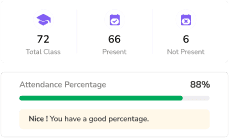
Attendance Management
Biometric attendance, face detection, real-time parent notifications, and diverse analytical reports

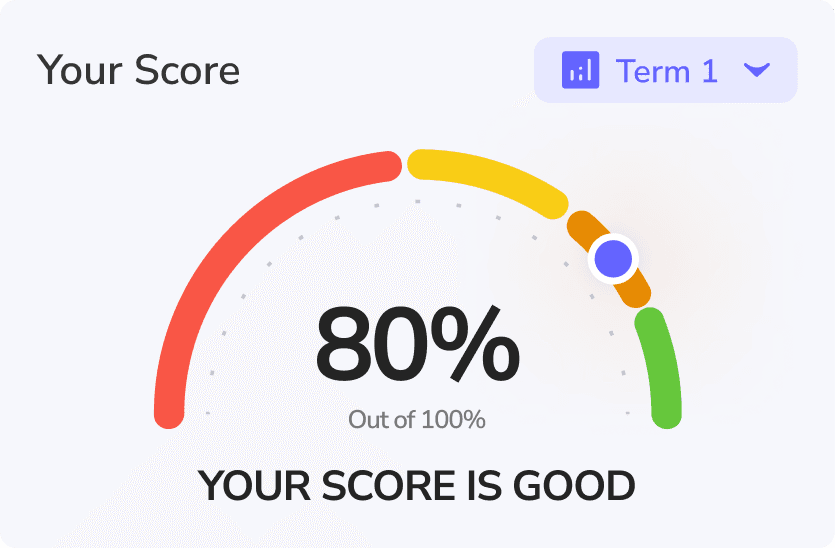
Report Card/Grade Sheet
Create graphical report cards in line with school formats, and analyse and compare students' progress.


Admission Management
Online forms and document uploads, Admission status tracking, Notification to parent
Growing your School is challenging.
MyLeading Campus ® makes it easy.





Simplify Daily School Administration
Handle routine tasks like attendance, fee collection, and report cards faster. Cut down manual work and let staff focus on what matters most—students.

Leading the Way in School Management
MyLeading Campus® makes managing school administration easy, ensuring maximum productivity and convenience at every step.


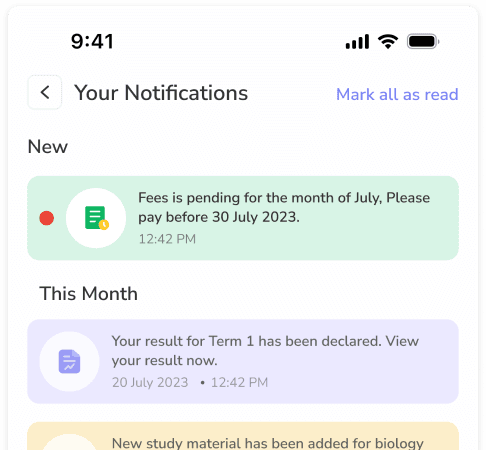

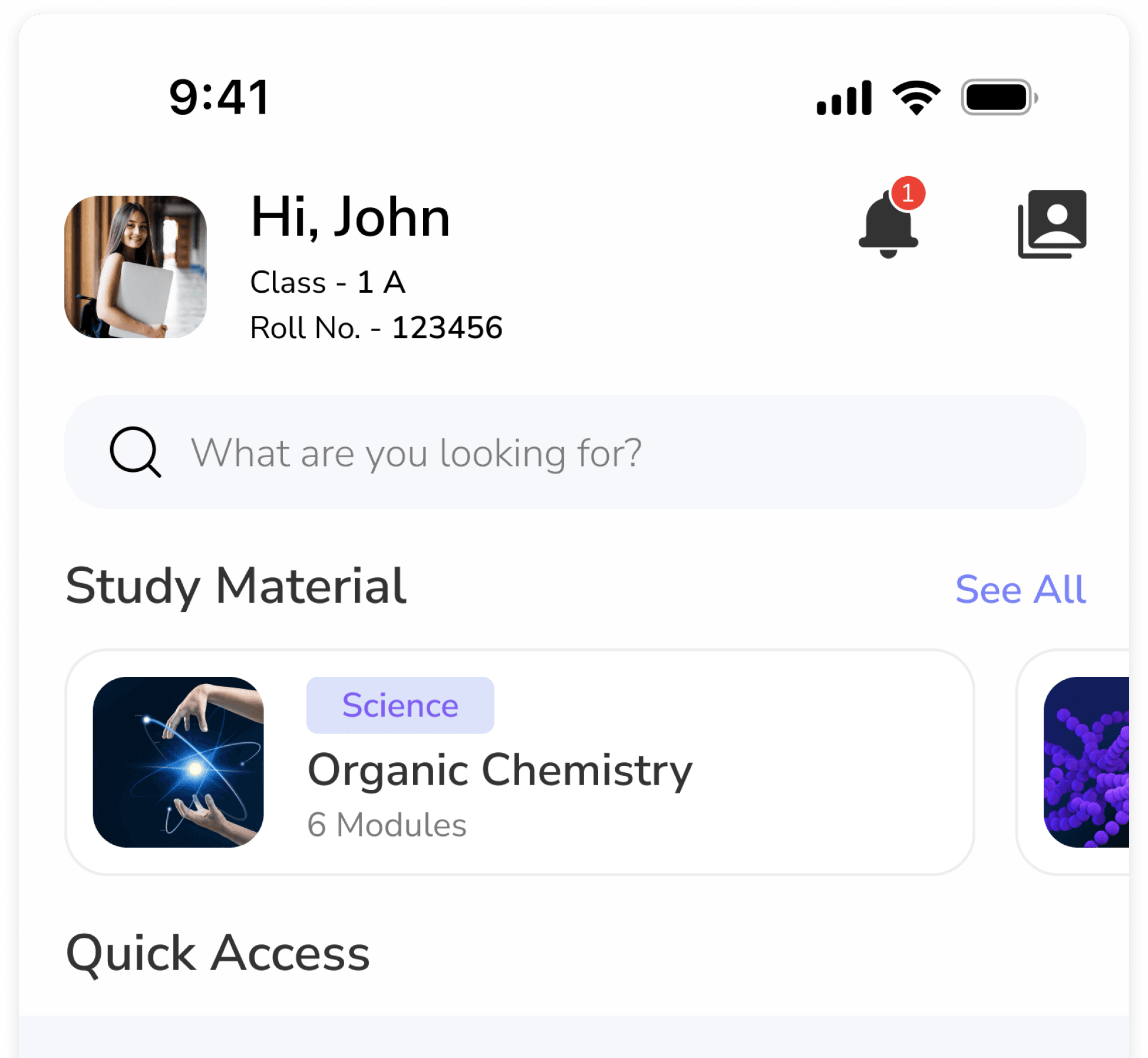
.258d39f2.png&w=384&q=75)
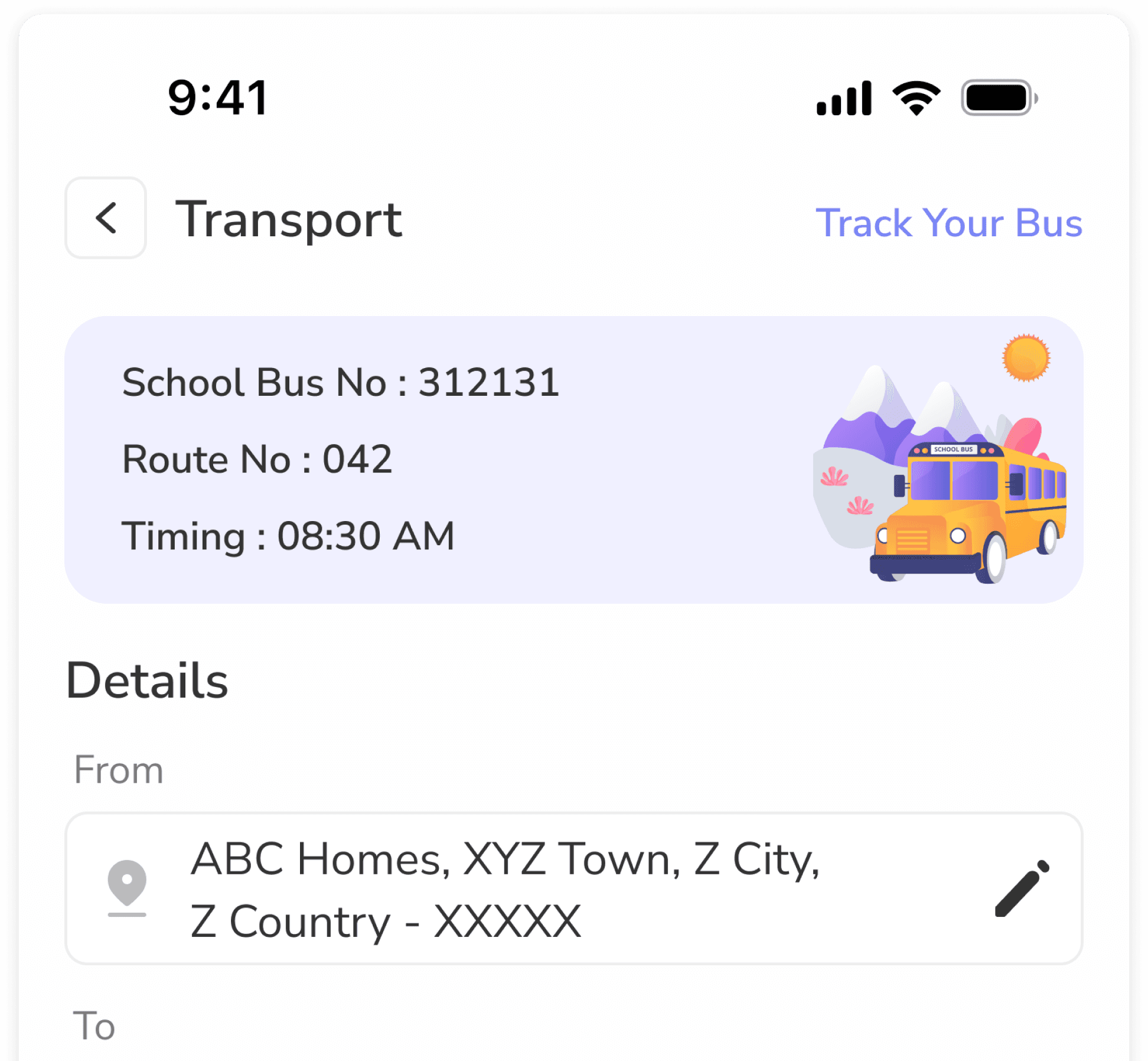
.1920ac0c.png&w=384&q=75)

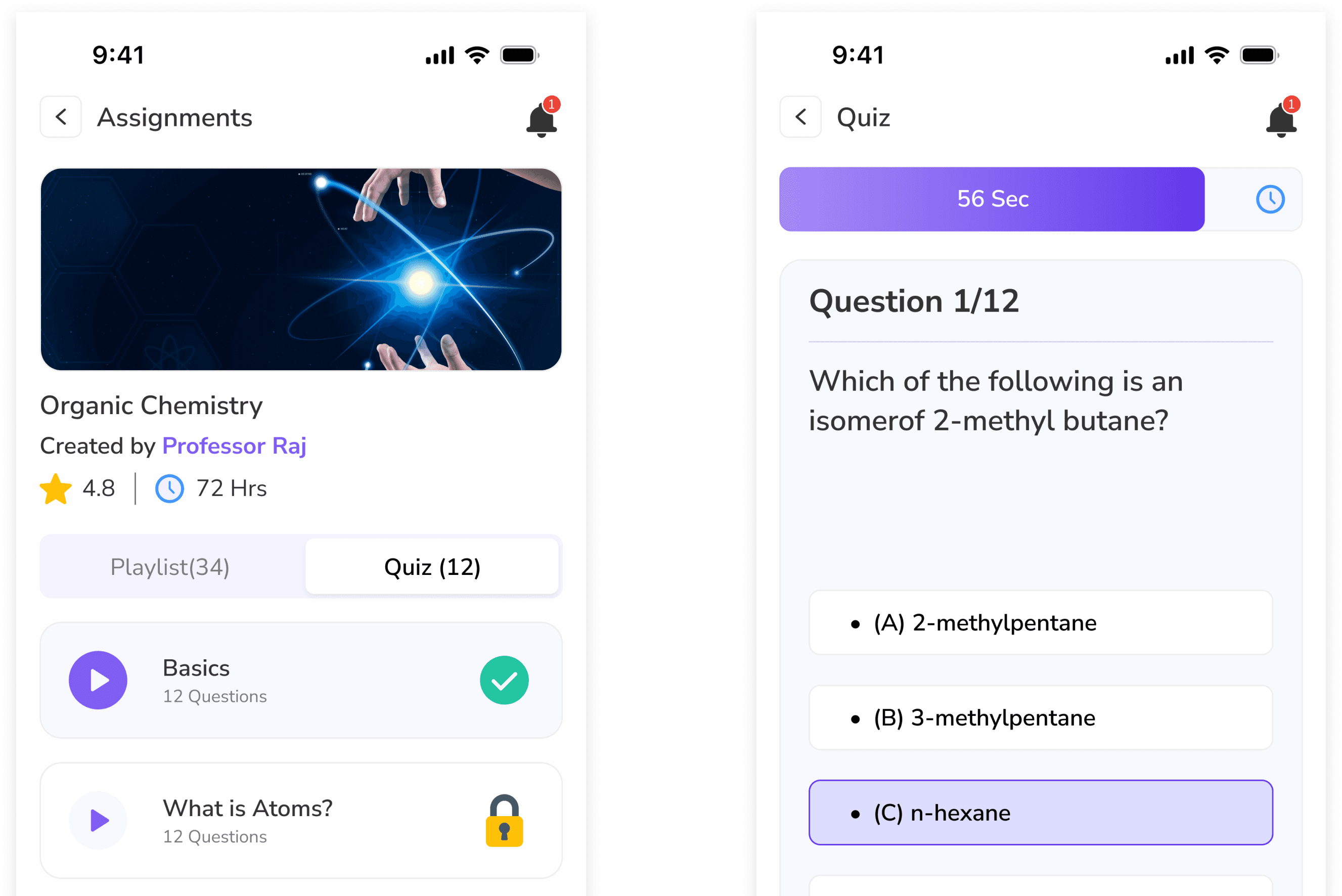
.dd52c9d0.png&w=384&q=75)
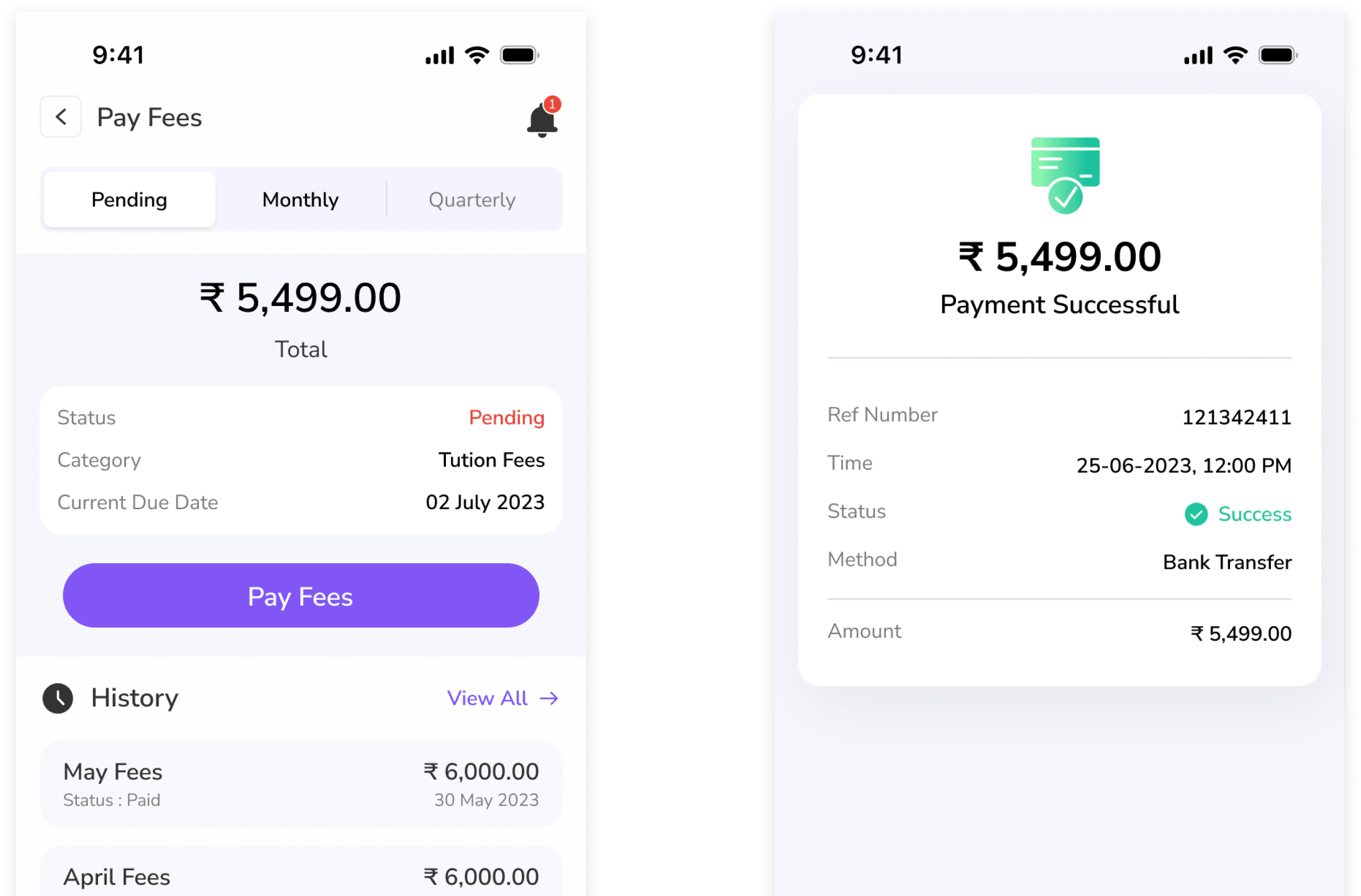


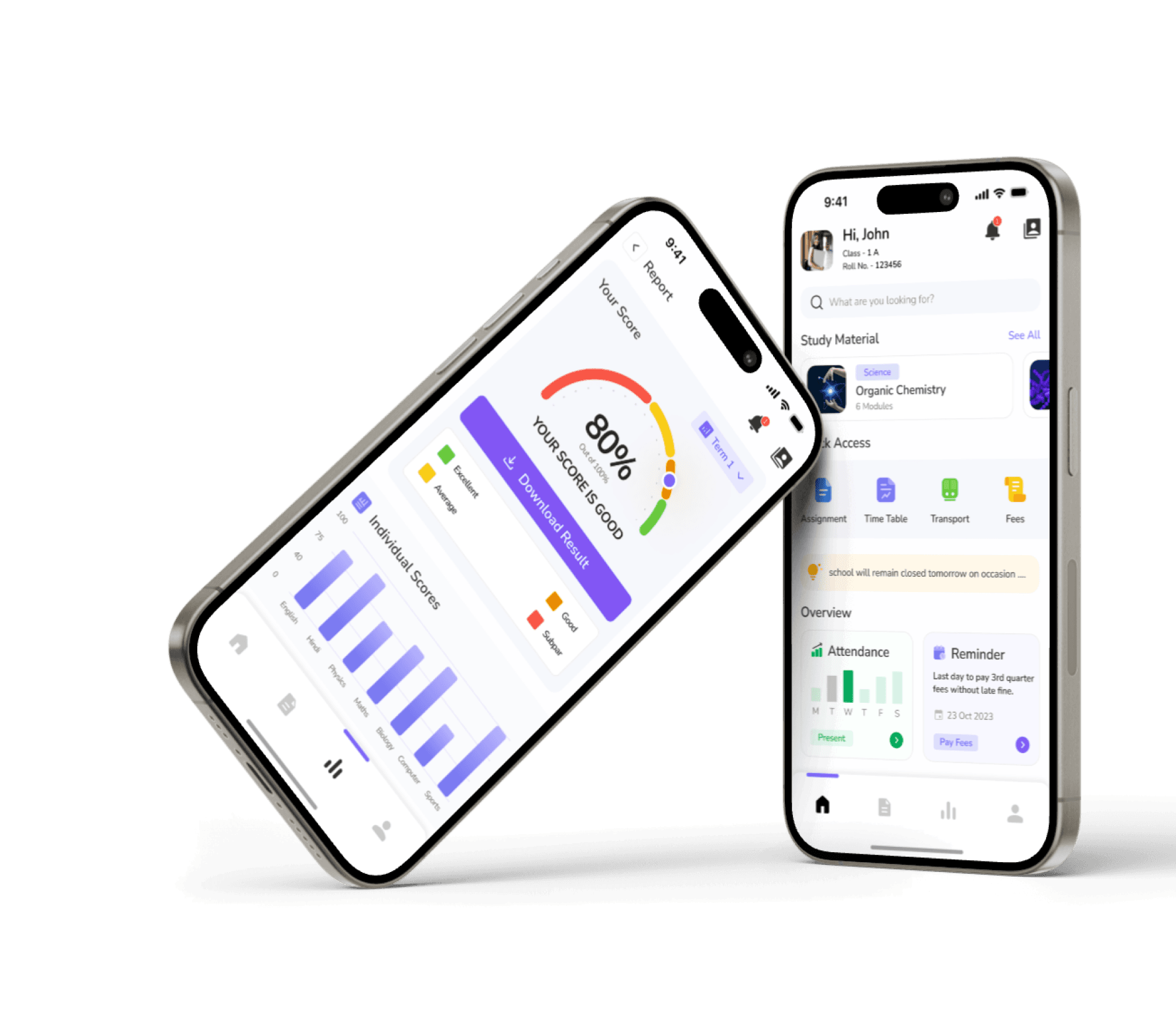
One Software to replace them all....
Manage everything from classroom activities to school administration with one simple system.

What Our Users Are Saying

Anita Sharma
Principal, Authpur National Model H. S. School
MyLeading Campus has completely transformed our school’s operations. Its intuitive design and robust features help us manage every department efficiently.

Ravi Verma
Admin Officer, National Model School Sodepur
I can now handle student records, fee collection, and communication without any confusion. This ERP is truly a time-saver.
Meena Joshi
Vice Principal, BIMS Kolkata
With MyLeading Campus, we have streamlined communication with parents and improved classroom efficiency.
Amitabh Singh
Math Teacher, Maria's Day School Ramrajatala
I love how easy it is to manage attendance and grades. Parents are also more engaged thanks to the communication tools.
Priya Nair
School Administrator, Don Bosco School, Malda
The dashboard provides a complete view of school activities. Managing student data has never been this simple.
Sandeep Iyer
Accountant, Trinity Public School
Managing payrolls, fees, and expenses is hassle-free now. The reports are very insightful for decision making.
Neha Gupta
Parent, Maria's Day School Ramrajatala
I stay updated with my child’s progress, homework, and attendance. It feels good to be involved and informed.
Rahul Chauhan
IT Administrator, Vikramshila Academy
MyLeading Campus is secure and always up. The support team is excellent and quick to help.
Swati Mishra
Science Teacher, Maria's Day School Mourigram
Tracking student performance has become much easier. MyLeading Campus is helping teachers a lot.
Manoj Tripathi
Registrar, Maria's International School Boinchi
The admission and registration system is very well-designed. Our work is faster and more organized.
Pooja Desai
Operations Manager, Authpur National Model H. S. School
From transport to library management, MyLeading Campus handles it all smoothly. Great platform!
Arun Mehra
School Head, Don Bosco School, Malda
We’ve seen noticeable improvement in operations since implementing MyLeading Campus. It’s built for Indian schools.
Anita Sharma
Principal, Authpur National Model H. S. School
MyLeading Campus has completely transformed our school’s operations. Its intuitive design and robust features help us manage every department efficiently.
Ravi Verma
Admin Officer, National Model School Sodepur
I can now handle student records, fee collection, and communication without any confusion. This ERP is truly a time-saver.
Meena Joshi
Vice Principal, BIMS Kolkata
With MyLeading Campus, we have streamlined communication with parents and improved classroom efficiency.
Amitabh Singh
Math Teacher, Maria's Day School Ramrajatala
I love how easy it is to manage attendance and grades. Parents are also more engaged thanks to the communication tools.
Priya Nair
School Administrator, Don Bosco School, Malda
The dashboard provides a complete view of school activities. Managing student data has never been this simple.
Sandeep Iyer
Accountant, Trinity Public School
Managing payrolls, fees, and expenses is hassle-free now. The reports are very insightful for decision making.
Neha Gupta
Parent, Maria's Day School Ramrajatala
I stay updated with my child’s progress, homework, and attendance. It feels good to be involved and informed.
Rahul Chauhan
IT Administrator, Vikramshila Academy
MyLeading Campus is secure and always up. The support team is excellent and quick to help.
Swati Mishra
Science Teacher, Maria's Day School Mourigram
Tracking student performance has become much easier. MyLeading Campus is helping teachers a lot.
Manoj Tripathi
Registrar, Maria's International School Boinchi
The admission and registration system is very well-designed. Our work is faster and more organized.
Pooja Desai
Operations Manager, Authpur National Model H. S. School
From transport to library management, MyLeading Campus handles it all smoothly. Great platform!
Arun Mehra
School Head, Don Bosco School, Malda
We’ve seen noticeable improvement in operations since implementing MyLeading Campus. It’s built for Indian schools.
Got Questions? We've Got Answers!
Dive into our frequently asked questions to learn more about MyLeading Campus®
Explore Our Inspiring Blog Posts
Unleash your school's potential with insights, tips, and stories from educational experts and fellow school leaders.

- 2026-01-24
ERP Software for NAAC & NBA Compliance: How Colleges and Universities Simplify Accreditation with the Right College Management System
Accreditation has quietly become one of the biggest operational pressures on Indian colleges and universities.
NAAC and NBA are no longer once-in-five-years exercises. They demand continuous data readiness, documentation discipline, and proof—not promises.
Many institutions still rely on:
-
Excel sheets maintained by different departments
-
Google Drive folders with unclear ownership
-
Manual data compilation before peer team visits
This approach doesn’t scale. It doesn’t survive audits. And it definitely doesn’t reduce stress.
That’s where a NAAC- and NBA-aligned College ERP changes the game.
This blog explains:
-
How NAAC & NBA actually evaluate institutions
-
Where colleges lose marks due to poor data systems
-
How ERP simplifies compliance without extra workload
-
What features matter from an accreditation lens
If you’re responsible for IQAC, academics, or governance, this is written for you.
Why NAAC & NBA Compliance Is Getting Harder Every YearAccording to NAAC data:
-
Over 70% of institutions lose marks due to documentation gaps, not academic quality
-
Peer teams increasingly verify system-generated data instead of printed reports
-
Continuous quality monitoring is now expected—not last-minute preparation
NBA, especially for engineering and professional programs, focuses heavily on:
-
Outcome-based education (OBE)
-
CO-PO-PSO mapping
-
Evidence-backed continuous assessment
Accreditation today is less about “what you do” and more about “how well you can prove it.”
That proof lives in your systems.
The Real Problem: NAAC & NBA Data Lives in Too Many PlacesIn most colleges:
-
Academic data sits with departments
-
Student data sits with admin
-
Finance data sits separately
-
Research data is tracked manually
-
Alumni data is scattered or outdated
When accreditation time arrives, everything needs to be merged, verified, formatted, and approved.
This is where errors happen—and marks are lost.
A modern College ERP system acts as a single source of truth.
(If you want a foundational understanding of ERP in higher education, read: this blog
A well-designed ERP does three critical things for accreditation:
-
Captures data at the source
-
Structures data as per NAAC & NBA frameworks
-
Generates evidence-backed reports instantly
This is not about automation alone.
It’s about credibility.
Let’s break this down practically.
NAAC Criterion I – Curricular AspectsNAAC expects:
-
Curriculum design and revision records
-
BOS & academic council approvals
-
Feedback implementation proof
With ERP:
-
Curriculum versions are stored year-wise
-
Changes are logged automatically
-
Feedback data is linked to curriculum updates
No more hunting for old syllabus PDFs during peer team visits.
NAAC Criterion II – Teaching-Learning and EvaluationThis is where most institutions struggle.
ERP supports:
-
Student profile tracking
-
Attendance records
-
Internal assessments
-
Continuous evaluation
NBA’s OBE framework fits naturally here:
-
CO-PO mapping
-
Attainment calculations
-
Outcome reports
All backed by actual system data, not manual calculations.
NAAC Criterion III – Research, Innovations, and ExtensionsERP helps track:
-
Faculty publications
-
Research projects
-
Grants and funding
-
Extension activities
Instead of emailing faculty every year, data gets updated once and reused everywhere.
NAAC Criterion IV – Infrastructure and Learning ResourcesERP maintains:
-
Asset registers
-
Lab usage logs
-
IT infrastructure records
This helps institutions prove utilisation, not just availability.
NAAC Criterion V – Student Support and ProgressionOne of the most overlooked criteria.
ERP enables:
-
Scholarship tracking
-
Placement records
-
Alumni database
-
Progression to higher studies
Institutions with proper alumni and placement data score significantly higher here.
NAAC Criterion VI – Governance, Leadership, and ManagementThis is where ERP becomes a leadership tool.
ERP provides:
-
Policy documentation
-
Decision records
-
Financial transparency
-
Role-based access
Peer teams increasingly expect digitally traceable governance, not verbal explanations.
NAAC Criterion VII – Institutional Values and Best PracticesERP helps document:
-
Environmental initiatives
-
Inclusivity measures
-
Gender equity programs
-
Community engagement
With timestamped data and reports.
NBA Accreditation: Where ERP Becomes Non-NegotiableNBA is far more technical.
It requires:
-
Outcome-based education tracking
-
Program-wise attainment
-
Continuous improvement cycles
Manual systems cannot handle this at scale.
ERP automates:
-
CO-PO mapping
-
Assessment linkage
-
Attainment analytics
-
Action taken reports
This is why most NBA-accredited institutions use ERP as a backbone, not a support tool.
Real Impact: What Colleges Gain Beyond AccreditationInstitutions using ERP for NAAC & NBA report:
-
40–60% reduction in accreditation prep time
-
Fewer last-minute errors
-
Better internal coordination
-
Continuous readiness instead of panic mode
For a broader view of ERP advantages, refer to: this blog
Choosing the Right ERP for NAAC & NBA (What Actually Matters)Not all ERP systems are accreditation-ready.
What to look for:
-
Flexible report formats
-
Role-based access for IQAC
-
Long-term data storage
-
Audit trails
-
Custom fields for accreditation metrics
A comparison perspective is covered here: this blog
Why Institutions Prefer MyLeading Campus® for Accreditation AlignmentInstitutions choose MyLeading Campus® because:
-
NAAC & NBA reporting is built into workflows, not added later
-
Data stays structured year after year
-
Multi-campus and autonomous needs are supported
Learn more about the platform here: click here
Pricing details are transparent and institution-friendly: Click here
Accreditation should reflect your institution’s quality—not your documentation stress.
FAQs: NAAC & NBA Integration with College ERP (Human Answers) 1. Can ERP really replace manual NAAC documentation?ERP doesn’t eliminate documentation—but it eliminates duplication and chaos.
Most required data already exists inside the system, properly formatted.
Yes. Institutions that adopt ERP early score better because data history matters more than last-year performance.
3. Does ERP help during peer team visits?Absolutely. Instant reports, clean dashboards, and traceable data build confidence with evaluators.
4. Can ERP handle both NAAC and NBA together?Yes. A good ERP maps academic and outcome data once and uses it across both frameworks.
5. Will faculty find ERP too complex?If implemented properly, ERP actually reduces faculty workload by removing repetitive reporting tasks.
6. How secure is accreditation data inside ERP?Role-based access ensures only authorised users can view or modify sensitive data.
7. Can existing data be migrated into ERP?Yes. Past academic, student, and assessment data can be migrated systematically.
8. Does ERP help with AQAR submissions?Yes. ERP simplifies annual data collection, making AQAR preparation far easier.
9. Is ERP suitable for autonomous colleges?ERP is especially valuable for autonomous institutions due to frequent curriculum changes and evaluations.
10. Who should lead ERP-driven accreditation internally?Ideally, IQAC should own the process, with academic and admin teams contributing through ERP workflows.
Final ThoughtNAAC and NBA are not getting easier.
But they are getting clearer about what they expect.
Institutions that treat ERP as an accreditation partner, not just software, stay compliant, confident, and future-ready.
If you want to explore this further, talk to the team here:
👉 Contact us

- 2025-12-28
ERP Software for Multi-Campus Colleges and Universities:Features, Benefits & Use Cases, 2026 Edition
Multi-campus institutions deal with:
-
Decentralized operations
-
Duplicate data
-
Inconsistent academic processes
-
Delayed reporting
-
Higher compliance risk
This is where a Multi-Campus ERP becomes not just helpful, but critical.
A multi-campus ERP is not about control.
It’s about visibility, consistency, and scalability.
This blog explains how ERP works for multi-campus institutions, what features matter most, real operational challenges it solves, and how institutions in India can choose the right system.
Why Multi-Campus Institutions Need ERP (The Big Picture)? India has 51,000+ colleges and 1,300+ universities, many operating across multiple campuses, locations, or constituent colleges.
? As institutions expand, administrative complexity increases faster than student numbers.
? Manual systems break down first at scale—not at launch.
Common problems multi-campus institutions face:
-
Each campus follows its own process
-
Academic data doesn’t match finance data
-
Head office lacks real-time visibility
-
Accreditation reporting becomes chaotic
-
Leadership decisions are based on delayed or partial data
Growth without centralized systems creates operational blind spots.
This is why ERP adoption accelerates sharply when institutions cross 2+ campuses.
What Is a Multi-Campus ERP?A Multi-Campus ERP is a centralized education management system that allows:
-
Multiple campuses to operate independently where needed
-
Central leadership to monitor everything in real time
-
Shared academic, finance, HR, and compliance frameworks
-
Campus-wise and consolidated reporting from one platform
If you’re new to ERP fundamentals, this guide explains the concept clearly:
? What is College & University ERP (2025 Guide)
Multi-campus institutions need a delicate balance:
Slow local decisions Inconsistent processes Campus frustration Data mismatch Bottlenecks Compliance riskA good ERP solves this by enabling:
✔ Central policies
✔ Campus-level execution
✔ Role-based permissions
✔ Campus-wise data isolation with group-level reporting
Below are the non-negotiable ERP capabilities for institutions operating across multiple campuses.
1. Centralized Student Information System (SIS)Problem without ERP:
Each campus maintains its own student records → duplication, mismatch, missing data.
What ERP does:
-
Single student ID across campuses
-
Campus-wise enrolment visibility
-
Unified academic history even if a student transfers campuses
Why this matters:
Leadership gets one version of truth. Students get seamless records.
? Related reading:
Features of College ERP – Practical Guide
Multi-campus institutions often run:
-
Different programs per campus
-
Shared curriculum frameworks
-
Common outcome benchmarks
A strong ERP allows:
-
Central syllabus templates
-
Campus-level adaptations
-
PO-CO mapping at both campus and group levels
Academic consistency without killing campus flexibility.
3. Examination & Result Management Across CampusesThis is where most institutions struggle.
ERP enables:
-
Campus-specific exam schedules
-
Central exam policies
-
Unified grading rules
-
Campus-wise result processing
-
Consolidated performance analytics
? Institutions using ERP report 40–60% faster result processing across campuses.
For deeper exam-related ERP benefits, read:
? Top 10 Benefits of College ERP (2025)
Without ERP:
-
Separate accounting per campus
-
Manual consolidation
-
Delayed financial visibility
With ERP:
-
Campus-wise fee structures
-
Central finance dashboard
-
Automated reconciliation
-
Unified reporting for audits
? Even a 1% leakage in fee tracking across multiple campuses can mean lakhs lost annually.
? Compare pricing and models here:
Multi-campus institutions face unique HR challenges:
-
Faculty teaching across campuses
-
Guest lecturers rotating locations
-
Inconsistent attendance tracking
ERP supports:
-
Campus-wise attendance
-
Central payroll rules
-
Faculty workload mapping
-
Transfer and assignment history
ERP turns HR from paperwork into workforce intelligence.
6. Standardized Compliance & Accreditation ReportingAccreditation bodies expect:
-
Consistent data
-
Campus-wise breakdowns
-
Consolidated institutional reports
ERP helps generate:
-
Campus-wise NAAC/IQAC data
-
Group-level performance analytics
-
Audit trails for every change
This drastically reduces last-minute stress during inspections.
7. Role-Based Access & Governance ControlMulti-campus ERP works only if permissions are clear.
A good system provides:
-
Campus admin access
-
Central admin oversight
-
Faculty-level restrictions
-
Finance-only visibility where required
This ensures accountability without micromanagement.
8. Central Dashboards for LeadershipERP dashboards give trustees and leadership:
-
Campus-wise student strength
-
Fee collection trends
-
Faculty utilization
-
Academic outcomes
-
Placement performance
? Decisions move from reactive to data-driven.
9. Mobile Apps Across CampusesStudents expect consistency.
ERP mobile apps ensure:
-
Same experience across campuses
-
Central announcements
-
Campus-specific notices
-
Real-time academic updates
This improves student trust and engagement.
Real Outcomes Multi-Campus Institutions See After ERPInstitutions operating ERP across campuses typically report:
✔ 50–70% reduction in manual admin work
✔ Faster academic and financial reporting
✔ Better campus-to-head-office alignment
✔ Reduced compliance risk
✔ Easier scalability for new campuses
? Most recover ERP investment within 12–24 months.
Common Mistakes Multi-Campus Institutions Make? Treating ERP as a campus-level tool
? Allowing each campus to configure ERP differently
? Ignoring central governance rules
? Weak data migration planning
ERP must be designed group-first, campus-second.
Implementation Strategy That Actually WorksPhase 1:
Centralize Student, Fees, and Exams
Phase 2:
Add HR, Attendance, and Academics
Phase 3:
Roll out dashboards, analytics, and mobile apps
Phase 4:
Optimize campus workflows and scale further
Before finalizing a system, evaluate:
-
Does it support unlimited campuses?
-
Can data be isolated campus-wise?
-
Does leadership get real-time consolidated dashboards?
-
Is pricing scalable with growth?
? Or review India-specific solutions here:
The biggest change is clarity.
Without ERP, each campus works in its own way, maintains its own data, and reports separately. Leadership often sees numbers late—or sees different numbers from different teams.
With a multi-campus ERP:
-
Campuses continue their daily work independently
-
Head office sees everything in real time
-
Data follows the same structure everywhere
In simple terms, everyone works freely, but from the same system.
2. Will ERP force all campuses to follow exactly the same process?No—and it shouldn’t.
A good multi-campus ERP allows:
-
Common rules where needed (exams, compliance, finance)
-
Campus-specific flexibility where required (courses, schedules, operations)
ERP is not about micromanaging campuses.
It’s about ensuring consistency without killing autonomy.
Yes, absolutely.
This is very common in multi-campus institutions.
ERP allows:
-
Campus-wise fee plans
-
Different instalments, concessions, or scholarships
-
Central visibility of total collections
So each campus can charge what’s appropriate locally, while finance teams still get one consolidated financial picture.
4. How does ERP help during NAAC or other accreditation visits?This is one of the biggest advantages.
Instead of collecting data from multiple campuses manually, ERP:
-
Stores academic, student, faculty, and finance data centrally
-
Generates campus-wise and combined reports
-
Maintains audit trails automatically
So when accreditation teams ask for data, you’re pulling reports—not chasing people.
5. Is data from different campuses kept separate and secure?Yes.
ERP works on role-based access:
-
Campus staff see only their campus data
-
Central leadership sees consolidated dashboards
-
Sensitive data (finance, HR) is restricted to authorised roles
This keeps data secure while still allowing transparency at the right level.
6. How long does it usually take to implement ERP across multiple campuses?Most institutions take a phased approach.
On average:
-
Core modules (students, fees, exams): 2–3 months
-
HR, attendance, analytics: another 1–2 months
So overall, 4–6 months is realistic for smooth implementation.
Trying to rush everything at once usually causes resistance and errors.
7. Will ERP work if our campuses are in different cities or states?Yes. In fact, that’s exactly where ERP helps the most.
Because the system is cloud-based:
-
Campuses can operate from anywhere
-
Leadership can monitor everything remotely
-
Reports don’t depend on manual updates
Distance stops being a problem once data lives in one system.
8. What happens when we add a new campus in the future?A scalable ERP allows you to:
-
Add a new campus without disturbing existing ones
-
Reuse academic and admin templates
-
Start operations faster with fewer mistakes
This is why ERP is often adopted before expansion, not after.
9. Where do institutions see the fastest return on investment (ROI)?Most institutions see quick impact in:
-
Fee management and reconciliation
-
Exam and result processing
-
Reduction in duplicate admin work
Simply reducing manual effort across multiple campuses saves significant time and cost within the first year.
10. Who should internally own the ERP project?ERP should never be owned by IT alone.
The best results come when:
-
Leadership sponsors the project
-
Admin and finance teams are involved
-
One or two representatives from each campus participate
ERP works best when it’s treated as an institutional system, not a software installation.
11. Will faculty and staff resist using ERP?Some resistance is natural—mostly due to habit.
But when ERP:
-
Reduces repetitive work
-
Simplifies attendance and marks entry
-
Improves communication
Adoption improves quickly.
Training, patience, and clear communication matter more than technology here.
12. Is ERP suitable only for very large institutions?Not at all.
ERP is useful for:
-
Institutions with 2–3 campuses today
-
Groups planning expansion in the next 1–2 years
In fact, implementing ERP early avoids chaos later.
Final Note on FAQsIf you’re running multiple campuses, the real question isn’t
“Do we need ERP?”
It’s:
“How long can we grow without one?”
Multi-campus growth brings opportunity—but only if systems scale with it.
ERP doesn’t just connect campuses.
It aligns vision, operations, and accountability.
If your institution operates across multiple campuses—or plans to—ERP is no longer a future plan. It’s a present requirement.

- 2025-12-13
Features of College ERP — A Practical Guide for Autonomous Colleges & Universities
Autonomous colleges and universities are the engines of higher education in India today. They design their own curriculum, conduct exams, manage faculty, handle fees, research funding, placements — and still must maintain compliance with regulatory bodies like UGC, NAAC and HECI. That complexity cannot be managed with spreadsheets, loose tools, or disconnected systems.
This is where a College management software (ERP) becomes a strategic necessity — not just an administrative tool.
If you want to explore how a comprehensive ERP looks for educational institutions, check out the College ERP Features page on MyLeading Campus®:
https://www.myleadingcampus.com/college-erp-features
Autonomous colleges have unique requirements:
-
Own exams & assessments
-
Own curriculum design
-
Customized evaluation rubrics
-
Accreditation evidence & outcome reporting
According to the All India Survey on Higher Education (AISHE), India has tens of thousands of colleges and over a thousand universities, many of which are autonomous or seeking autonomous status. Managing everything manually is no longer sustainable. Centralization is no longer optional — it’s a necessity.
A College ERP acts as the single source of truth for every student, faculty, financial, and administrative process.
“A well-structured College ERP can reduce manual workload by up to 70% while increasing data accuracy and compliance readiness — essentials for autonomous institutions.”
What a College ERP Actually Does (Not Buzzwords, Real Features)Below, I walk you through the core modules an autonomous college needs, why they matter, and how they work in real life.
1. Academic & Curriculum ManagementPurpose: Create, revise, and maintain curriculum structures for multiple programs, courses, specializations, electives and choice-based credit systems.
Why it matters:
Autonomous institutions frequently redesign syllabi to stay current. A digital curriculum system stores versions, maps Program Outcomes (POs) and Course Outcomes (COs), and creates reports for accreditors — without retyping spreadsheets.
Real-world result:
Departments can roll out new courses without confusion and with traceable audit trails.
Learn how ERP supports academic operations on MyLeading Campus:
https://www.myleadingcampus.com/college-erp-features
Purpose: Store and manage every student’s data throughout their lifecycle — from admission to graduation and alumni engagement.
What goes into SIS:
-
Personal data
-
Academic history
-
Attendance
-
Fee records
-
Examinations
-
Internships & placement status
-
Disciplinary history
Why it matters:
Instead of multiple spreadsheets, this creates one authoritative student profile, accessible to authorized users across departments.
Outcome:
Reduced errors, less duplication, faster document generation like transcripts, certificates, and migration forms.
Purpose: Automate the entire exam lifecycle from timetable creation to results publishing.
Includes:
-
Question paper management (secure workflows)
-
Exam schedules
-
Evaluation & moderation
-
Grade generation & approval
-
Digital mark sheets
Why it matters:
Autonomous colleges run exams differently than affiliating universities. The ERP must handle:
-
Multiple evaluation schemes
-
Internal + external moderation
-
Multiple grade formats (CWA, CGPA, etc.)
And importantly — everything must be auditable.
Exam integrity is non-negotiable. A digital system greatly reduces errors and ensures traceability.
4. Fees & Financial ManagementPurpose: Manage fee structures, concessions, instalments and payment collection.
Features:
-
Fee plans by course/semester
-
Multi-channel payments (UPI, cards, net banking)
-
Automated payment reminders
-
Concession & scholarship workflows
-
Ledger & reconciliation
Why it matters:
Manual fee tracking causes disputes. A digital system creates clear ledgers, tracks inflows automatically, and reconciles collections — saving time and reducing discrepancies.
Purpose: Manage staff data, attendance, leaves, payroll calculations and compliance.
Why it matters:
Universities have complex staffing models — guest lecturers, research assistants, part-time faculty, visiting professors. A good ERP:
-
Tracks attendance via biometric/GPS
-
Manages payroll with tax deductions
-
Handles leave & appraisal workflows
A good HR module saves hours of spreadsheet work every month.
6. Research & Project ManagementPurpose: Track research grants, funding, milestones, expenses, compliance and publications.
Why it matters:
Research is not just academic — it’s financial and compliance-heavy. A system that manages:
-
IRB submissions
-
Project budgeting & expenses
-
Publications & patents
-
Research reports for funding bodies
…makes the institution more research-ready and audit-compliant.
7. Library & Digital ResourcesPurpose: Central catalogue, circulation, fine tracking, RFID/Barcode integrations, and digital resource access.
What it does:
-
Issue/return management
-
Search & reservation
-
Integration with LMS platforms
Why it matters:
Blended learning means digital and physical resources coexist. A modern library module must seamlessly bring them together.
Purpose: Auto-generate conflict-free timetables based on:
-
Room capacity
-
Faculty workload
-
Equipment needs
-
Course constraints
Why it matters:
Manual timetable creation is labor-intensive and error-prone. Automation speeds this up and resolves clashes logically.
Purpose: Record attendance for students, faculty and staff via:
-
Biometric devices
-
RFID
-
Mobile apps with geo-fencing
Why it matters:
Accurate attendance supports scholarships, hostel eligibility and HR compliance.
Purpose: Centralize communication via push notifications, SMS, e-mail and in-app messaging to:
-
Students
-
Faculty
-
Parents
Why it matters:
Information delays are a huge pain point in colleges. Real-time alerts on attendance, fees, assignments and exam schedules increase transparency and engagement.
Get a sense of communication workflows in an ERP here:
https://www.myleadingcampus.com/college-erp-features
Purpose: Connect the ERP to:
-
Moodle
-
Google Classroom
-
Zoom
Why it matters:
Post-pandemic learning is blended. LMS integrations let you bring attendance, assessments, assignments and content into the same ecosystem — no disconnected tools.
Purpose: Store, archive and retrieve official documents like:
-
Certificates
-
Migration forms
-
Audit logs
-
Accreditation records
Why it matters:
Regulatory bodies (NAAC, HECI, UGC) ask for evidence during reviews. A digital archive makes this painless.
Purpose: Present KPIs like:
-
Enrolment trends
-
Pass rates
-
Fee collections
-
Placements
-
Research output
Why it matters:
Data-driven decisions are essential — especially when reporting to boards or preparing funding proposals.
Purpose: Ensure high-level data protection via:
-
Encryption
-
Role-based access
-
Daily backups
-
Disaster recovery
Why it matters:
Student and financial data must be secure. Cloud-native ERP ensures uptime and remote access for decentralized campuses.
Here’s how autonomous colleges actually benefit once ERP is implemented:
✅ Eliminates manual data entry errors
✅ Reduces processing time for exams & results
✅ Centralizes faculty and student workflows
✅ Improves financial visibility & audit trails
✅ Boosts student satisfaction and transparency
✅ Supports accreditation and regulatory reporting
✅ Enables remote access and mobile engagement
Implementing ERP is not just technical — it’s organizational.
Step 1: Define Objectives
Decide why you need ERP — fewer errors, faster exams, better reporting, etc.
Step 2: Prioritize Modules
Start with essentials: SIS → Fees → Exams → Attendance
Then add HR, library, research workflows.
Step 3: Clean & Migrate Data
Dust off spreadsheets and clean them before import.
Step 4: Configure Roles & Permissions
Define who sees what, and connect with your login/SSO systems.
Step 5: Pilot with One Department
Roll out to one faculty first, then scale.
Step 6: Train, Measure & Iterate
Conduct hands-on training and measure KPI improvements.
Accreditation demands evidence — not promises. ERP:
-
Stores learning outcome mappings (PO, CO)
-
Generates pass/fail and assessment reports
-
Logs audit trails for every change
-
Helps prepare documentation bundles
A system like MyLeading Campus’s ERP provides built-in reports that reduce accreditation pressure.
https://www.myleadingcampus.com/college-erp-features
Here’s a simple, evidence-based ROI illustration:
Admin time saved Up to 40–60% reduced manual work Fee reconciliation errors Decrease by 80%+ Exam processing time Result publication speed improves Student satisfaction Transparency leads to fewer complaintsIn many cases, institutions recoup their ERP cost within 12–24 months.
Common Implementation Mistakes (and Solutions)? Going “big-bang”
? Start with core modules first.
? Skipping data cleanup
? Clean data first — bad data kills adoption.
? No internal champions
? Identify power users in admin & faculty.
? Weak mobile experience
? Ensure mobile app adoption fits student behavior.
A College ERP must handle:
-
Semester systems, credit schemes & electives
-
Outcome-based education (OBE)
-
Research project tracking
-
Exam moderation & custom grading
School ERPs focus more on:
-
Class-wise attendance
-
Parent communication
-
Fee cycles for fixed grades
Autonomous colleges require deeper academic structures, flexible assessment models and audit/reporting needs. This makes College ERP more feature-rich and customizable.
Q2: How long does it take to implement a College ERP?Typical phased rollout:
Core modules (SIS + Fees + Exams) 8–12 weeks Attendance & Timetables 4–6 weeks HR, Payroll & Research 8–12 weeks Integrations & Full rollout 12–18 weeksTotal: 3–6 months for medium institutions.
Success depends on data quality, internal champions, and training.
Q3: How hard is data migration?Data migration is actually one of the most important parts.
Best practices include:
-
Extract spreadsheets from legacy systems
-
Verify and clean duplicates
-
Standardize codes (course, batch, faculty)
-
Import in batches and validate before go-live
Good ERPs provide import templates and migration support.
Q4: Can College ERP handle autonomous exams independently?Absolutely — this is a core use case.
Key functions include:
-
Secure question bank
-
Multiple evaluation workflows
-
Moderation support
-
Digital grade books
-
Marksheet & transcript generation
These processes align with autonomous governance and audit needs.
Q5: Does ERP support regulatory reporting for NAAC/HECI/UGC?Yes. A well-built ERP:
-
Generates academic performance reports
-
Stores outcome mappings (PO, CO)
-
Provides faculty and research analytics
-
Exports audit trails for compliance submissions
This drastically reduces manual evidence collection.
Q6: Is cloud ERP secure for sensitive student data?Yes — when deployed correctly.
Security features should include:
-
Role-based access control
-
Encryption at rest & in transit
-
Daily backups
-
Disaster recovery plans
Ask vendors for SLAs and compliance certificates during evaluation.
Q7: What integrations should we expect?Common and essential integrations:
-
Payment gateways (UPI, cards, net banking)
-
Biometric attendance devices
-
Learning platforms (Moodle, Classroom)
-
Identity management (SSO/LDAP)
-
Library systems
-
Mobile apps
APIs ensure future integrations can be added without disruption.
Q8: How much does ERP cost?Most vendors price based on:
-
Per-student per year
-
Module subscriptions
-
Setup & customization fees
Always ask for Total Cost of Ownership (TCO) over 3 years. Transparency matters.
Q9: What KPIs should a college track after ERP rollout?Track metrics like:
-
Time to publish results
-
Fee reconciliation discrepancies
-
Attendance accuracy
-
Student engagement via mobile app
-
Placement conversion rate
-
Research output and reporting accuracy
These reflect institutional health and growth.
Conclusion — ERP Isn’t Just Software, It’s Institutional StrategyAn ERP for autonomous colleges and universities is more than a digital tool — it’s the backbone of centralized governance, academic excellence, operational clarity, compliance readiness and student experience.
If you want to explore how ERP features align with your institution’s priorities, check out our ERP Features page:
➡️ ERP Features
Or request a personalized demo here: Request a demo
Contact +91-9874344994 or email us at hello@myleadingcampus.com
Get in Touch & Let's Transform Your School Together!
Have questions, need a demo, or simply want to chat about your school's needs? We're here to help.