Smart ERP for Schools, Colleges & Universities

Top 10 School Management Software in India for 2026: AI Powered ERP Solutions Compared

Top 10 School Management Software in India for 2026: All-in-One ERP Solutions Compared(AI-POWERED)

A practical guide for principals, trustees and school admins — features, pros & cons, pricing cues, and a clear comparison table to help you pick the right school ERP.

Updated: 20-April-2026

Quick context — why this matters

School administration today covers a lot: admissions, fee collection, attendance, exam management, payroll, transport tracking, library, and parent communication. A good school management ERP brings these functions into a single system, saving time and reducing mistakes.

Note: industry reports show the education ERP market is growing fast worldwide and in India — cloud solutions are becoming the dominant choice for schools because they are easier to run and scale. (See sources at the end.)

How to use this guide

Read the summary of each product, then scan the comparison table for features you care about (admissions, fees, attendance, mobile apps, transport GPS, pricing model, and ideal school size). Links go to relevant pages or deeper guides where available.

Why compare? Key selection criteria

  • Feature coverage: Does it handle admissions, fees, attendance, exams, payroll, transport, and parent communication?
  • Deployment: Cloud (fast, low upfront) vs On-Premise (control, higher upfront cost).
  • Mobile apps: Are there separate apps for parents, teachers, and students?
  • Support & onboarding: Local support, training, and implementation help.
  • Pricing & TCO: Per-student pricing vs license + infra costs for on-premise.
  • Scalability & integrations: Can it grow with multiple campuses and integrate with payment gateways, biometric devices, or online class tools?
  • AI Integration: Use of AI in software

Top 10 school ERP platforms (shortlisted for India, 2026)

Below are short profiles. Links take you to deeper feature pages or relevant resources.

1. MyLeading Campus® (Recommended for Indian schools)

What it covers: Admissions, fees, attendance (biometric/video), report cards, HR & payroll, transport GPS, hostel, library, mobile apps for parents/teachers/admin, insightful reports, online classes.

Why consider it: built for India, affordable pricing (example plan ₹150/student/year), government-recognised processes, strong local support. Learn more.

2. Fedena

What it covers: Core school modules, exams, timetable, fees, and parent portals. Fedena is widely used and has a long track record in Indian schools.

3. Entab CampusCare

What it covers: Strong exam and timetable modules, popular with many CBSE schools. Known for detailed academic workflows.

4. EduSys

What it covers: Cloud-based ERP with student lifecycle management, finance, and reporting—good for medium-sized schools.

5. SchoolKnot

What it covers: ERP plus website and communication tools. Good for schools that want a combined website + ERP solution.

6. Classe365

What it covers: Strong LMS integrations and advanced features—works well for institutions looking to combine ERP and LMS functions.

7. Teachmint

What it covers: Strong in online teaching and hybrid learning; includes fees, communication, and some administrative modules.

8. SkoolBeep

What it covers: Focus on parent engagement and school communication with core ERP features.

9. Academia ERP

What it covers: Advanced scheduling and department-level controls—often used by higher education but adaptable to larger K-12 campuses.

10. SchoolTonic

What it covers: Straightforward modules for admissions, fees, attendance, and transport—works well for smaller schools seeking an affordable, simple ERP.

Detailed comparison table — features & fit (2026)

Product Key Modules Deployment Mobile Apps Ideal for Price cue
MyLeading Campus®
Product page
HPC, APAAR ID, Teacher Appraisal Module,Admissions, Fees, Attendance (biometric), Report cards, Payroll, Transport GPS, Hostel, Library, Online classes,  Cloud & On-Premise options Yes — Parent, Teacher, Student apps Small → Large schools, multi-campus starts ₹180 / student / year (typical plan)
Fedena Admissions, Fees, Exams, Timetable, Attendance, Parent portal Cloud & On-Premise options Yes Small → Large schools Varies by modules
Entab CampusCare Exams & grading, Timetable, Attendance, Fees Cloud & On-Premise Yes CBSE/ICSE schools, medium → large Module-based pricing
EduSys Student lifecycle, Fees, Reports, Attendance Cloud Yes Medium schools, chains Subscription
SchoolKnot Communication, Website, ERP basics Cloud Parent app Small → Medium schools Affordable starter plans
Classe365 ERP + LMS, Student lifecycle, CRM Cloud Yes Institutes wanting LMS + ERP Higher pricing
Teachmint Online classes, Fees, Communication Cloud Yes Schools leaning hybrid/online Competitive for online tools
SkoolBeep Parent comms, Notices, Basic ERP Cloud Yes Schools focused on parent engagement Affordable
Academia ERP Advanced scheduling, Dept control, Finance Cloud / On-Premise Yes Higher education & large campuses Enterprise pricing
SchoolTonic Admissions, Fees, Attendance, Transport Cloud Yes Small schools, budget-conscious Low-cost plans

Table note: “Price cue” is indicative and depends on modules chosen, number of users, and customisations.

Supporting facts & market signals (quick summary)

  • Education ERP is a growing market globally and in India. Multiple market reports indicate strong growth (double-digit CAGRs) for education and cloud ERP markets.
  • Cloud ERP is becoming the dominant deployment model because schools prefer lower upfront costs, easier updates, and mobile access for parents and teachers.
  • Covid-19 sped up digital adoption in schools: online classes, digital report cards, remote monitoring — cloud ERPs delivered those capabilities faster.

Sources for these facts are listed after the article.

How to choose — practical checklist for principals & trustees

  1. List your must-haves (e.g., fees + payroll + transport GPS) and optional items (e.g., LMS, hostel management).
  2. Decide deployment: Cloud is usually easier and cheaper to run. On-premise only if you must keep data inside your servers.
  3. Ask for a demo with your data: Request a pilot for 1–2 months to check workflows and mobile apps.
  4. Check references: Ask vendors for schools similar to yours and talk to them about support and uptime.
  5. Compare TCO: Include training, implementation, hardware (if on-premise), and recurring subscription costs.

If you want a quick starter checklist, see our full selection guide: Complete Guide to Choosing the Best School Management Software in India (2026)

Final thoughts

Picking the right ERP comes down to fit — your school size, budget, and willingness to host data on-premise. For many Indian schools in 2026, cloud ERPs provide the best balance of cost, access, and features. Platforms like MyLeading Campus® are built for local needs and offer a wide range of modules at affordable per-student pricing.

If you want help shortlisting 2–3 ERPs for your school, we can prepare a side-by-side pilot plan and TCO estimate. Request a demo / Contact us

Updated: 2026. This guide highlights frequently used ERPs in India and general market trends. Always validate pricing and feature lists with vendors for your specific needs.

The Ultimate Guide to the HPC Report Card: Meaning, CBSE Guidelines, and Best Software-2026
  • 2026-04-06
  • Admin

The Ultimate Guide to the HPC Report Card: Meaning, CBSE Guidelines, and Best Software-2026

The Ultimate Guide to the HPC Report Card: Meaning, CBSE Guidelines, and Best Software (2026)   The National Education Policy (NEP) 2020 has fundamentally changed how student development is assessed in India. Moving away from rote memorization and stressful year-end exams, the focus has shifted to comprehensive, 360-degree student evaluation. At the heart of this educational revolution is the HPC report card. If you are a school administrator, principal, or educator navigating these new requirements, you are likely looking for the best way to implement these changes smoothly. In this post, we will cover the HPC full form, the holistic progress card meaning, the exact guidelines for HPC as per CBSE, and why adopting dedicated holistic progress card software is the smartest move for your institution. HPC Full Form & Holistic Progress Card Meaning Let’s start with the basics. The HPC full form stands for "Holistic Progress Card." But what exactly is the holistic progress card meaning in practical terms? Unlike traditional mark sheets that only reflect academic scores in subjects like Math and Science, the HPC is a comprehensive evaluation tool. It assesses a student's development across three critical domains: Cognitive: Knowledge, critical thinking, and problem-solving skills. Affective: Emotional intelligence, teamwork, empathy, and social skills. Psychomotor: Physical fitness, coordination, and practical, hands-on skills. It incorporates self-assessment, peer assessment, and teacher evaluation, making the student an active participant in their own learning journey. Implementing HPC as per CBSE Guidelines For schools affiliated with the Central Board of Secondary Education, transitioning to this new format is not just recommended; it is a compliance requirement under NEP 2020. Implementing HPC as per CBSE requires schools to track competency-based learning outcomes rather than just syllabus completion. An effective HPC for CBSE School must reflect a child's unique strengths, learning pace, and areas for improvement without labeling or ranking them against their peers. To understand the deeper administrative challenges and formats, check out our detailed Guide on HPC Format, Examples, and How Schools Can Actually Implement It. The Four Stages of the HPC Report Card The National Curriculum Framework (NCF) divides schooling into four distinct stages, and the HPC format changes to match the developmental needs of the child at each level: Foundational Stage (Ages 3-8) Preparatory Stage (Ages 8-11) Middle Stage (Ages 11-14) Secondary Stage (Ages 14-18) Stay tuned for our upcoming deep-dive blog series where we break down exactly "How to fill the HPC" for the Foundational, Preparatory, Middle, and Secondary stages! Why You Need Dedicated Holistic Progress Card Software Gathering data for self-assessment, peer reviews, project-based learning, and teacher observations for hundreds of students is an administrative nightmare if done manually on paper or basic spreadsheets. This is where holistic progress card software becomes indispensable. Using an automated, NEP-compliant digital platform eliminates data entry errors, saves thousands of teacher-hours, and generates beautifully designed, parent-friendly reports in seconds. At MyLeading Campus, we have developed a state-of-the-art HPC creation software specifically designed to solve this problem. Any school can test a live, customized HPC report card complete with their own custom branding and school logo. ### Benefits of Our HPC Software: 100% NEP & CBSE Compliant: Always up-to-date with the latest board mandates. Custom Branding: Your report cards reflect your school’s unique identity and colors. Easy Data Input: Streamlined dashboards for teachers to input qualitative and quantitative feedback. Live Testing: Don't just take our word for it—test the live customized report card generation yourself before rolling it out to your staff. Take the Next Step for Your School Transitioning to the HPC doesn't have to be overwhelming. With the right knowledge and the right technology partner, your school can lead the way in holistic education. Ready to digitize your assessments? Visit our dedicated Holistic Progress Card (HPC) Landing Page to request your live customized demo. Need more in-depth information? Read our Complete Guide to HPC and NEP 2020 for Schools. Transform your school's evaluation process today and give your students the 360-degree feedback they deserve! contact us today for free demo
What is APAAR ID? Complete Guide for Schools and colleges 2026
  • 2026-03-30
  • Admin

What is APAAR ID? Complete Guide for Schools and colleges 2026

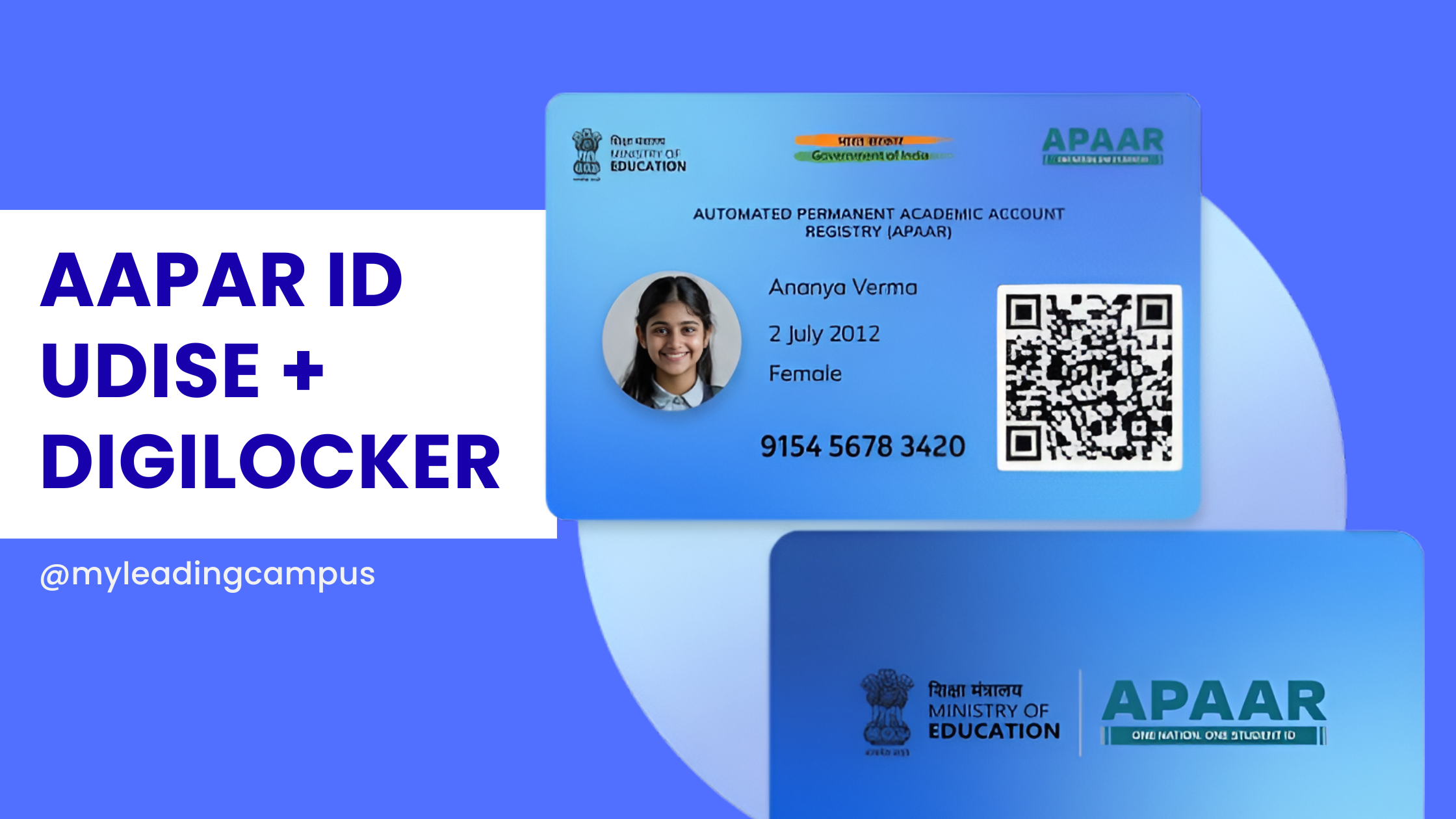
What is APAAR ID? The Real, No-Nonsense Guide for Schools in 2026 Let's be completely honest for a second: running a school right now is starting to feel a whole lot like running a government data entry center. I was chatting with a bunch of school owners recently at the School Summit in Chandigarh, and almost everyone was stressing over the exact same thing. The APAAR ID mandate. If you are a principal or an administrator navigating 2026, you already know the education department is pushing this hard. But what exactly is it, and how on earth are you supposed to manage it without your admin staff quitting out of sheer frustration? What is APAAR ID, Anyway? Think of it as an Aadhaar card, but strictly for academics. APAAR gives every single student a unique 12-digit lifelong ID number. This number ties directly into the Academic Bank of Credits (ABC). So, whether a kid switches to a new school in a different state, wins a recognized sports tournament, or eventually finishes 12th grade, all that data gets securely locked into their personal digital vault. It's actually a fantastic concept for the students, eliminating the need for physical mark sheets and transfer certificates. But for schools? It is a massive logistical headache. The Hidden Challenge: The UDISE Connection A lot of guides skip over how this actually works in practice. You can't just invent an APAAR ID. The system relies on a very specific chain of verified data: School Data → UDISE Verification → APAAR ID Generation → DigiLocker Storage If your UDISE records are outdated, or if a student's name in your register doesn't perfectly match their Aadhaar card, the whole chain breaks. The government portal simply kicks back an error. The Real Numbers: Manual vs. Automated Let's say you have a school with 1,000 students. If you try to manage the UDISE matching, parental consent, and APAAR generation manually by having staff type into government portals, you are looking at: 30–40% error rates due to data mismatches. Weeks of delays chasing down lost paper consent forms. Constant timeouts because the national portals get overwhelmed. This is exactly why we spent so much time building our APAAR ID software for schools. We wanted to flip those numbers. How MyLeading Campus Actually Fixes It Instead of wrestling with messy Excel sheets, our ERP is fully DigiLocker integrated and compatible. We actually set up a dedicated partner account with DigiLocker just to make sure this API connection is rock solid for our partner schools. We built a centralized dashboard just for school principals. You open it up in the morning, and right there you can see the big picture. You know exactly how many IDs are successfully generated, which classes still need parental consent, and which specific Aadhaar/UDISE names are throwing errors so your team can fix them fast. The software handles the hardest part: the parents. It pushes digital consent requests straight to the parents' smartphones. Once they approve it with a quick OTP, you just select the class and click a button to generate the IDs in bulk. No more typing things one by one. Want to implement APAAR without the stress? Stop paying your staff to do manual data entry. Book a free demo today and I will personally walk you through the exact workflow of our school ERP to show you how easy compliance can be. Quick FAQs 1. Is the APAAR ID actually mandatory for my school? Yes. The Ministry of Education requires it for tracking academic progress and managing the ABC. It is becoming the backbone of student identity in India. 2. Can we generate the ID without UDISE data? No. The government requires verified UDISE data as the foundation before an APAAR ID can be legally generated. 3. What is the role of DigiLocker here? DigiLocker is the actual vault. While APAAR is the ID number, DigiLocker is where the mark sheets and certificates are securely stored and verified. 4. Do we have to use the government website directly? You can, but it is painfully slow for bulk entries. Using a DigiLocker-integrated partner system like MyLeading Campus bypasses the manual data entry and lets you do everything from one screen.
Holistic Progress Report Card (NEP 2020): Format, Examples, Challenges & How Schools Can Actually Implement It: Guide for Schools 2026
  • 2026-03-23
  • Admin

Holistic Progress Report Card (NEP 2020): Format, Examples, Challenges & How Schools Can Actually Implement It: Guide for Schools 2026

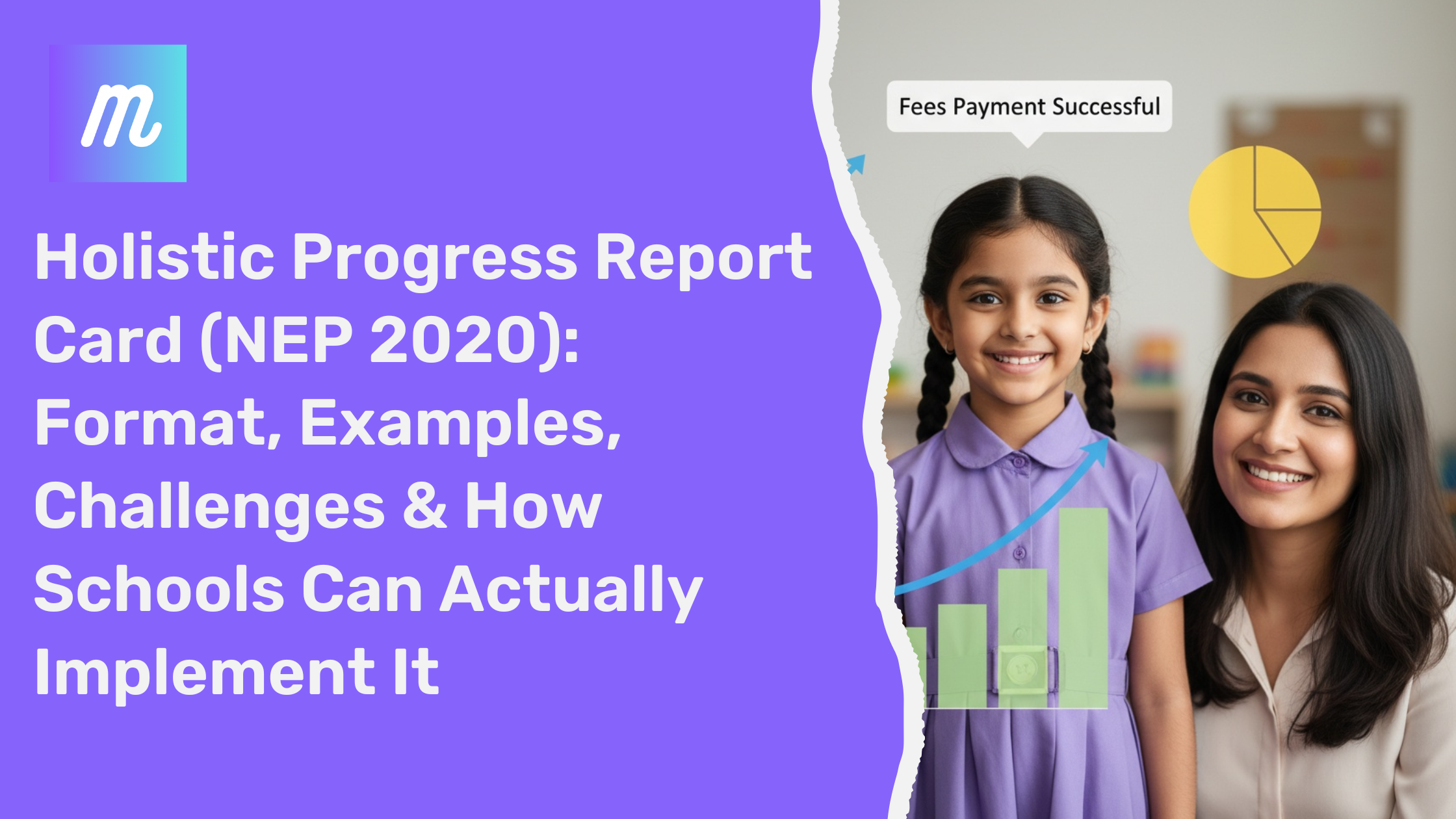
Holistic Progress Report Card (NEP 2020): Format, Examples & Implementation Guide 2026 If you're a school leader or administrator, you've likely heard about the Holistic Progress Report Card (HPC) under NEP 2020. On paper, it sounds simple — focus on skills, not just marks. But in reality, most schools are struggling with implementation. This guide focuses on one thing: how to actually implement HPC without increasing workload. --- What is a Holistic Progress Report Card? A Holistic Progress Report Card (HPC) is a system introduced under NEP 2020 to evaluate a student’s complete development. Academic performance Skill-based learning Behavioral traits Social and emotional growth Unlike traditional report cards, HPC focuses on continuous development, not just exam results. Traditional vs Holistic Report Card Aspect Traditional Holistic Focus Marks Overall Development Evaluation Exam-based Continuous Skills Tracking No Yes Feedback Limited Detailed --- Why Schools Are Struggling No standard format available Too many evaluation parameters High time consumption Teacher resistance due to workload Lack of proper tools Understanding HPC is easy. Implementing it manually is the real challenge. --- Holistic Progress Report Card Format A practical HPC should include: Student Information Academic Evaluation Skill Assessment Co-curricular Activities Behavioral Observations Teacher Remarks 👉 Explore a complete ready-to-use structure here: Holistic Progress Card Full Solution --- Real Challenge: Time Creating one report manually takes ~20 minutes. For 1000 students = 300+ hours of work. This is why schools are moving toward automation. --- Try Live HPC Builder Instead of imagining, try generating a real report: 👉 Try Free Live HPC Builder --- How Schools Are Solving This Manual Method Excel sheets Word templates Copy-paste remarks Result: Errors, delays, frustration Automated Method Pre-built formats Auto remarks One-click generation Result: Speed, accuracy, consistency --- Benefits of Holistic Progress Cards Better student insights Improved parent communication Reduced teacher workload Future-ready system --- Explore Detailed Guide For a deeper understanding, read our complete guide: 👉 Complete HPC Guide for Schools 2026 --- FAQs (Highly Important) 1. What is a Holistic Progress Report Card? It is a NEP 2020-based report system that evaluates academic, behavioral, and skill-based development of students instead of just marks. 2. Is HPC mandatory for schools? While full implementation is evolving, schools are expected to align with NEP 2020 guidelines, making HPC increasingly essential. 3. How can schools create HPC easily? Manual creation is time-consuming. Schools are adopting automated systems to generate reports quickly and accurately. 4. What is included in an HPC? It includes academics, skills, co-curricular activities, behavior, and teacher remarks. 5. How much time does it take to generate one report? Manually: 15–30 minutesAutomated: Less than 2 minutes 6. Can HPC be customized? Yes, formats can be customized based on school or board requirements. 7. Why is HPC important? It provides a complete picture of a student's growth, helping teachers and parents make better decisions. 8. Is there any software for HPC? Yes, modern ERP systems now offer automated HPC generation aligned with NEP 2020. --- Final Thought HPC is not just a new format. It’s a shift in how education evaluates students. The real question is: Do you want teachers spending hours creating reports… or minutes generating them? 👉 Try Live Builder👉 Explore Full Solution
Chat with us on WhatsApp